
Small businesses, remote branch offices, retail outlets and home IT setups regularly grapple with common network infrastructure issues. Loose scattered hardware, exposed tangled cables, unprotected devices and poor thermal management create ongoing operational headaches. Unlike large enterprise data centers that rely on bulky floor-standing server racks, smaller work environments demand compact, space-efficient and low-maintenance solutions. This is where the wall mounted network cabinet delivers tangible, everyday value for modern network deployment projects.
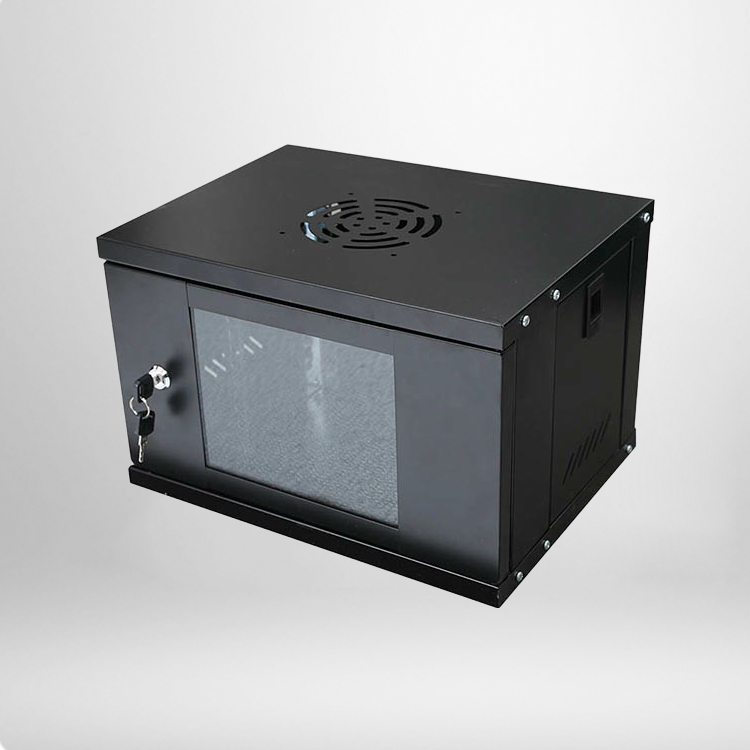
Network setups for commercial and residential spaces have grown far more intricate throughout 2026, with routers, managed switches, patch panels and auxiliary storage hardware now standard across most workspaces. Unorganized device placement does more than compromise workspace aesthetics. It introduces avoidable operational risks, including wireless signal interference, cumulative equipment overheating and accidental physical damage. Properly integrating a wall mounted network cabinet streamlines hardware layout, stabilizes overall network performance and simplifies routine IT upkeep for small-scale network environments.
Basic Definition of a Wall Mounted Network Cabinet
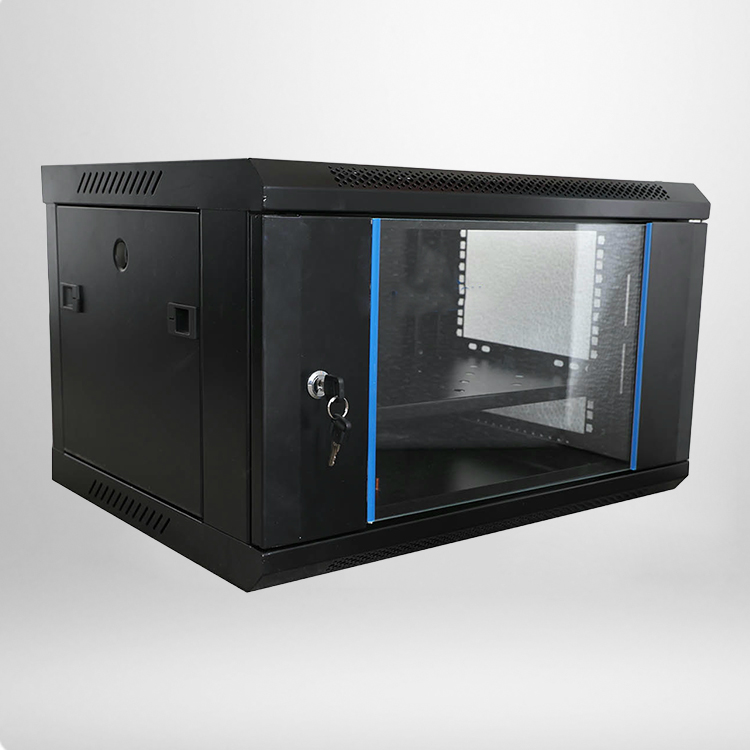
A wall mounted network cabinet is a compact wall-mounted enclosure built to house and organize standard 19-inch network hardware. Designed specifically for space-constrained environments, it avoids the excessive footprint of heavy-duty floor-standing server cabinets intended for dedicated data rooms. Most industry-grade models feature robust cold-rolled steel construction, integrated ventilation panels, secure lockable doors and pre-cut cable ports, covering core operational needs for physical protection, heat dissipation and structured cable management.
Standard sizing options including 6U, 9U and 12U cover the vast majority of small-scale networking hardware, accommodating switches, routers, optical transceivers, patch panels and compact auxiliary storage units. Thanks to its versatile mounting design and minimal floor space requirement, this cabinet style has become a go-to infrastructure upgrade for small-to-medium commercial network renovations in 2026.
Common Practical Uses of Wall Mounted Network Cabinet
The primary advantage of a wall mounted network cabinet is its ability to adapt to compact working scenarios and standardize disorganized network hardware setups. It has been widely deployed across light commercial, retail and general office settings, effectively resolving the common pain points of scattered device placement and unregulated wiring in traditional network layouts.
1. Small Office and Branch Network Centralization
Most small and mid-sized offices lack dedicated server rooms, forcing IT teams to place network hardware on desktops, shelves or open floor spaces. This unstructured setup leads to tangled wiring, unstable device connections and time-consuming troubleshooting. A wall mounted network cabinet consolidates all core networking hardware in a single fixed location, standardizes wiring routing, reduces exposed cabling and allows IT staff to conduct inspections, repairs and adjustments far more efficiently during daily operations.
2. Retail and Commercial Store Network Deployment
Chain retail stores, food service locations and customer-facing service venues rely on consistent local area networks to support POS systems, security surveillance and public Wi-Fi access. Full-size floor cabinets are impractical for these tight layouts, while open device placement compromises tidiness and physical safety. Wall-mounted network hardware enclosures eliminate wasted floor space, shield devices from physical impact and dust buildup, and sustain reliable long-term network performance for commercial site operations.
3. Home Office and Small Homelab Setup
Home office setups and personal residential homelabs have grown increasingly popular in 2026, with more users running multiple interconnected network devices at home. A compact wall mounted network cabinet eliminates desktop clutter, organizes routing and switching hardware neatly, improves indoor wiring aesthetics, and delivers reliable dust protection and passive cooling for devices that operate continuously year-round.
4. Monitoring and Weak Current System Integration
Factory corridors, community buildings and office walkways host continuous-running weak-current systems, including network surveillance cameras, access control hardware and security alarm units. A wall mounted network cabinet centralizes storage for surveillance hosts and supporting network components. Its secure locking design prevents unauthorized tampering and accidental damage, preserving the stability and continuity of critical monitoring and security systems.
Key Advantages of Wall Mounted Network Cabinet
When compared to open hardware placement and bulky floor-standing racks, the wall mounted network cabinet delivers targeted benefits tailored for small and medium working environments. Its practicality and cost efficiency have made it a staple upgrade for network renovation and system optimization projects throughout 2026.
1. Ultra Space-Saving Layout
The most practical benefit of wall-mounted network hardware enclosures is zero floor space consumption. By utilizing unused vertical wall space, these cabinets solve the common issue of limited floor area in compact offices and retail sites. They offer flexible layout options that do not interfere with foot traffic or daily workspace arrangements, maximizing the efficiency of constrained indoor environments.
2. Standardized Cable Management
Disorganized cabling is one of the leading causes of intermittent network faults and difficult maintenance workflows. Professional wall mounted network cabinet designs feature dedicated cable entry and exit ports, supporting layered separation of power and data lines. This structured layout prevents cable tangling, minimizes signal crosstalk interference, and simplifies routine line inspections and hardware replacement work.
3. Equipment Protection and Safety Upgrade
Exposed network hardware is vulnerable to dust accumulation, ambient moisture, accidental knocks and unauthorized tampering. High-quality wall mounted network cabinets feature fully enclosed frames with lockable glass or metal doors. These barriers block dust and humidity, cushion physical impacts, and restrict unsupervised access, safeguarding both network hardware integrity and internal system data security.
4. Optimized Heat Dissipation Performance
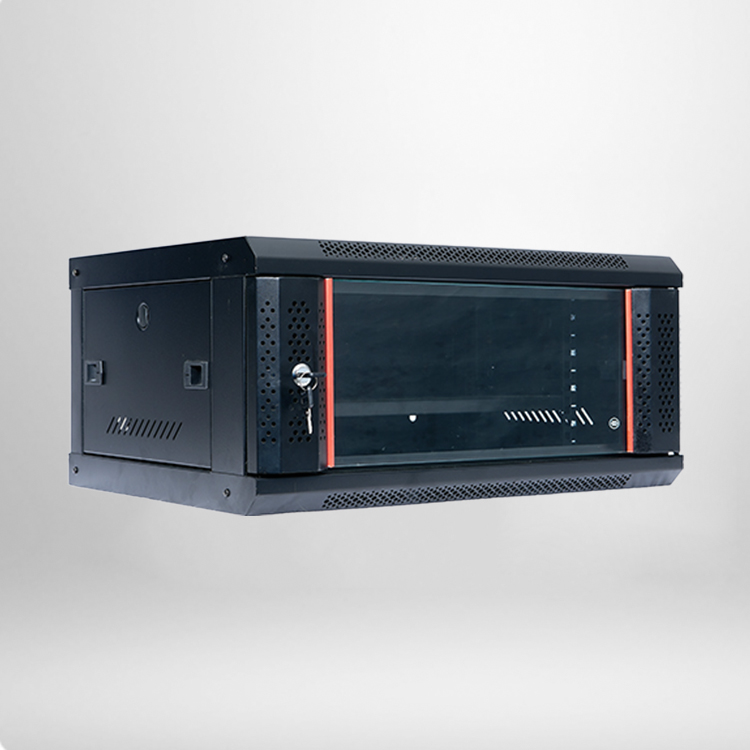
Continuous operation of network equipment generates residual heat, and open setups often trap localized heat buildup that accelerates hardware aging and performance degradation. Wall mounted network cabinets integrate multi-directional ventilation openings with optional add-on cooling fans. Mounted at elevated heights, they leverage natural hot air convection to lower operational temperatures steadily, extending the overall service life of installed network hardware.
5 Expert Buying Tips for 2026 Beginners
Many first-time buyers select network cabinets based solely on external size, often encountering issues with insufficient depth, weak load-bearing capacity or incompatible mounting specifications. These expert buying guidelines help users select durable, well-matched wall mounted network cabinet models aligned with real-world deployment needs.
1. Select the Right U Height Specification
6U, 9U and 12U are the most common and practical sizing options on the market. 6U cabinets suit basic home networks and small single-location retail stores. 9U units work best for standard small office hardware setups. 12U models are ideal for multi-device layouts where future expansion space is required. Industry professionals recommend reserving extra internal space during initial purchases to accommodate later hardware upgrades.
2. Focus on Cabinet Depth Matching
Cabinet depth directly determines hardware compatibility and cable routing feasibility. Standard 450mm depth fits most switches and patch panels for basic network setups. 600mm depth variants accommodate larger routers and compact storage devices. Avoid ultra-shallow budget cabinets, as tight internal spacing can hinder hardware installation, crimp cables and impede proper heat dissipation.
3. Check Load-Bearing and Material Quality
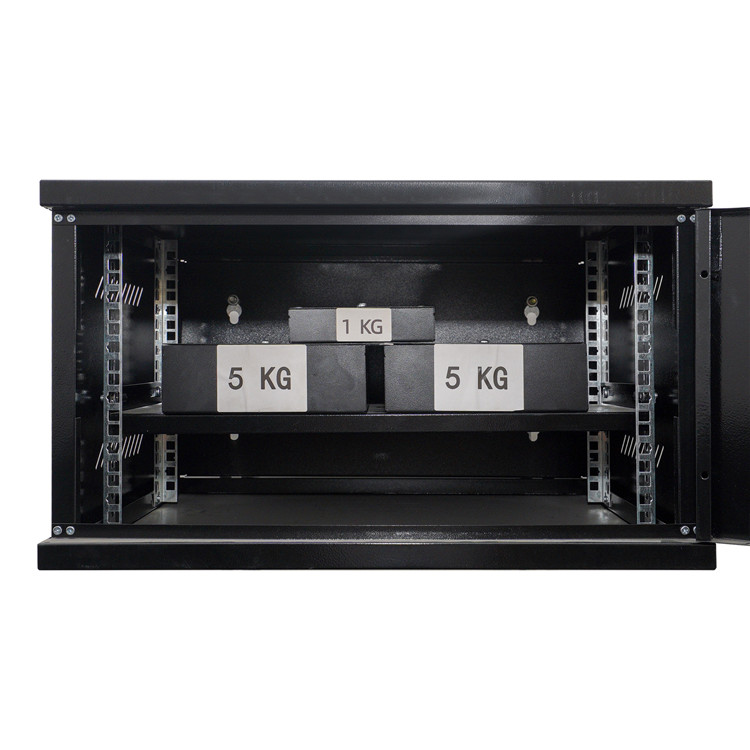
Premium cabinets feature thickened cold-rolled steel frames with electrostatic powder coating finishes, delivering rigid structural support, long-term rust resistance and scratch durability. Always verify official load-bearing ratings before installation to prevent frame deformation, hardware sagging or safety hazards caused by overloading mounted equipment over time.
4. Verify Ventilation and Cooling Design
Consistent thermal management is critical for stable network operation. Prioritize cabinets with top and bottom ventilation ports and pre-reserved fan mounting positions. For devices running full-load, 24/7 operations, optional low-noise cooling fans effectively mitigate overheating risks and prevent unplanned system downtime.
5. Confirm Safety and Expansion Performance
Opt for cabinets equipped with secure lockable doors and detachable side panels to simplify routine inspection and maintenance. Standard 19-inch adjustable mounting rails ensure full compatibility with mainstream commercial network hardware, leaving flexible room for future system upgrades and functional expansion.
Frequently Asked Questions (FAQs)
Q1: What is the difference between wall mounted and floor-standing network cabinets?
A wall mounted network cabinet is compact, space-efficient and designed for small offices, retail spaces and light commercial environments with limited floor area. Floor-standing network cabinets feature heavy-duty frames and higher load capacity, built exclusively for dedicated server rooms and large-scale enterprise server deployments. Each type serves distinct operational scenarios and capacity requirements.
Q2: Is professional installation required for wall mounted cabinets?
Standard wall mounted cabinets include complete mounting hardware for straightforward installation. Light hardware setups can be mounted by users with basic tools. For heavier multi-device configurations, professional IT installation is recommended to ensure secure wall anchoring, stable load distribution and standardized cable routing.
Q3: Can wall mounted network cabinets install servers?
These cabinets support compact, low-power mini servers but are not engineered for high-power, heat-intensive rack servers. They are purpose-built for standard networking hardware such as switches and routers. Dedicated floor-standing server cabinets remain the better choice for server-heavy enterprise deployments.
Q4: How to maintain wall mounted network cabinets daily?
Routine maintenance includes regular internal dust cleaning, cable tension checks and ventilation pathway inspections. Users should confirm locking mechanisms function properly and avoid overloading the cabinet with excess hardware. Simple, consistent upkeep preserves cabinet structural integrity and extends the service life of all installed network equipment.
2026 network infrastructure trends continue to prioritize lightweight layouts, standardized wiring and space-saving hardware solutions for small and mid-sized commercial environments. The wall mounted network cabinet resolves common real-world operational pain points, including disorganized wiring, unprotected hardware and cumbersome maintenance workflows. It balances efficient space utilization, physical equipment safety and consistent network stability, forming a reliable foundational component for daily network operations.
For small office operators, retail business owners and home network enthusiasts, investing in a properly sized, well-ventilated and high-quality wall mounted network cabinet during initial setup minimizes long-term network faults and cuts ongoing maintenance expenses. It stands as one of the most practical, cost-effective infrastructure upgrades for modern small-scale network systems.