
If you run a small office, a server room, or a tech workspace, you know how important it is to keep electronics cool. When equipment overheats, it slows down, crashes, or even breaks completely. That’s why cooling is one of the most important parts of any high-performance standing network cabinet. In this guide, we’ll break down the cooling systems you actually need, in simple terms, so you can keep your gear running smoothly for years.
A strong standing network cabinet does more than just hold equipment. It protects it, organizes cables, and maintains a safe temperature. Without good airflow, even the best devices will fail sooner. Let’s look at the cooling configurations that make a real difference.
Why Proper Cooling Is Essential for a Standing Network Cabinet
Before we jump into specific parts, let’s keep this real: heat is the biggest enemy of electronics. Routers, switches, servers, and power supplies all produce heat when they work. When that heat gets trapped inside a cabinet, temperatures rise quickly.
Overheating can cause sudden shutdowns, shortened hardware life, and increased energy use. In some cases, it even creates fire risks. A well-designed standing network cabinet controls temperature automatically, so you don’t have to worry about constant monitoring or expensive replacements.
Cooling isn’t an extra feature — it’s a necessity. Whether you’re upgrading your setup or buying new, cooling should be one of your top considerations.
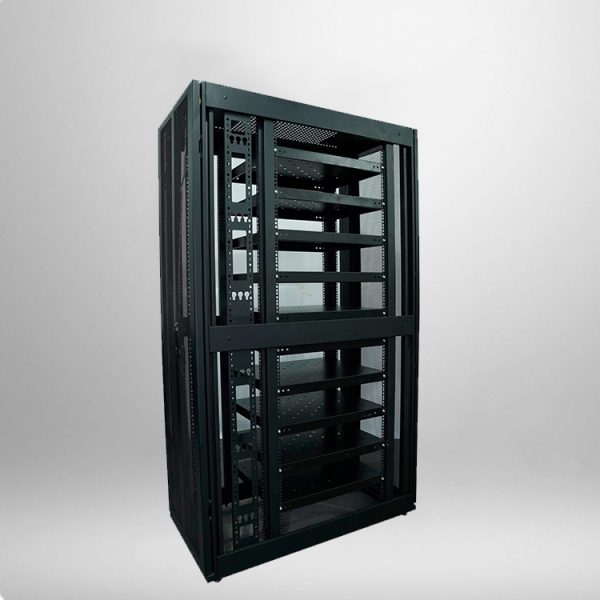
Key Cooling Configurations for High-Performance Cabinets
Not all cooling systems are the same. The best standing network cabinet uses a combination of natural and active cooling to stay balanced. Below are the most effective and widely used configurations.
1. Top-Mounted Exhaust Fans
Hot air rises, so the best place to remove heat is the top of the cabinet. Top-mounted fans push hot air outside quickly and efficiently. Most high-performance cabinets include two to four fans at the top, depending on height and load.
For stable performance, look for silent, long-life fans with ball bearings. They last longer and create less noise in working environments.
2. Bottom and Side Ventilation Panels
Cool air needs to enter from the lower parts of the cabinet. Ventilated doors and side panels allow fresh air to flow in naturally. This creates a steady upward air movement — cool air in, hot air out.
Good ventilation panels balance airflow and dust protection. Too open, and dust builds up. Too closed, and airflow suffers. Quality standing network cabinet designs solve this problem with dense, filtered vents.
3. Lockable Temperature Control Module
Many professional cabinets now include a built-in temperature controller. This smart device turns fans on automatically when the temperature reaches a certain level, usually around 28°C to 32°C. It turns them off when the cabinet cools down.
This system saves energy, reduces noise, and extends fan life. It’s one of the most useful upgrades for any high-performance setup.
4. Cable Management for Better Airflow
Cables can block airflow more than people realize. Thick, messy cables trap heat and stop air from moving freely. That’s why good cabinets include built-in cable management bars, rings, and channels.
Clean cables mean better cooling. It’s a simple step, but it makes a huge difference in how well your standing network cabinet maintains low temperatures.
5. Dust Filters and Removable Panels
Dust causes overheating by covering vents and components. High-quality cabinets include washable dust filters on the intake areas. These filters stop dust while letting air pass through.
Being able to remove filters easily makes maintenance simple. Regular cleaning keeps cooling efficient and equipment safe.
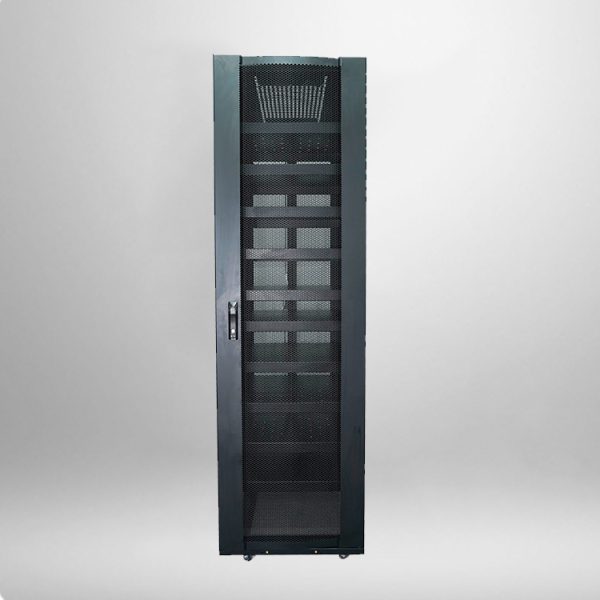
Recommended Cooling Specifications by Cabinet Size
To help you choose the right setup quickly, here’s a simple and reliable guide. These are real-world specs used by IT teams and installers.
| Cabinet Height | Recommended Top Fans | Ventilation Type | Temperature Control |
|---|---|---|---|
| 18U – 22U | 2 x 120mm fans | Vented door | Optional |
| 27U – 32U | 3 x 120mm fans | Vented door + side panels | Built-in |
| 37U – 47U | 4 x 120mm fans | Full ventilation | Built-in + alarm |
This table shows how cooling needs increase with cabinet size. Larger cabinets hold more equipment and produce more heat, so they need stronger systems.
Frequently Asked Questions
How many fans does a standing network cabinet need?
Most cabinets need 2 to 4 fans, depending on height and equipment load. Small cabinets work well with 2 fans. Larger, full-load cabinets need 3 or 4 for stable cooling.
Can I rely only on natural ventilation?
Natural ventilation works for very light setups with few devices. If you use servers, switches, or constant-running equipment, you need active fans and temperature control.
What temperature should a cabinet stay at?
The ideal internal temperature is between 22°C and 26°C. Temperatures above 35°C put equipment at risk.
Do I need to clean cooling parts regularly?
Yes. Dust blocks airflow and reduces efficiency. Clean filters and fans every 2 to 3 months for best performance.