
Data rooms are the core of enterprise network operation, running 24 hours a day with no downtime. All network switches, routers, servers and storage devices generate continuous heat and bear long-term operating load. A low-quality cabinet will lead to poor heat dissipation, messy cable layout, unstable equipment placement, and even hardware damage over time.
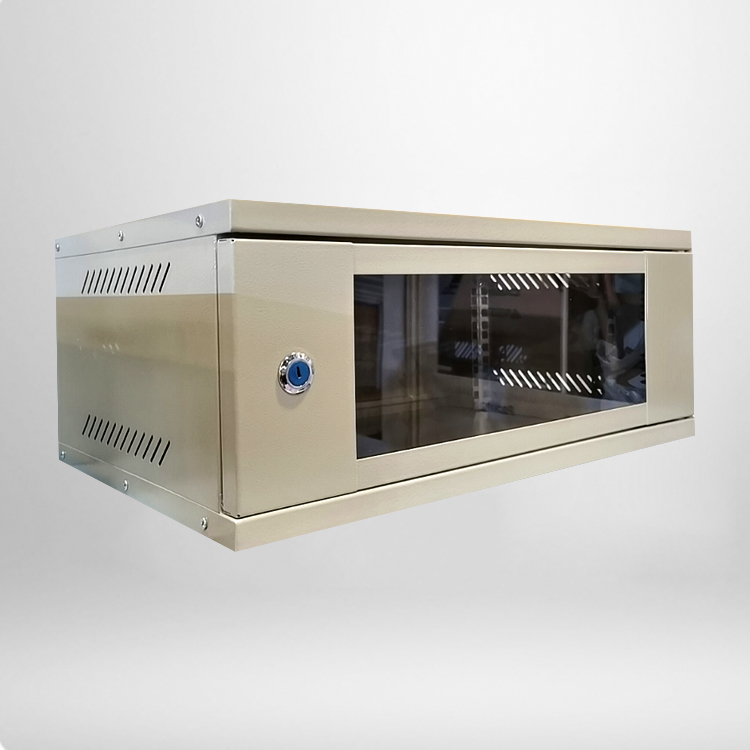
A professional rackmount network cabinet is tailor-made for these continuous high-load scenarios. Unlike simple open rack frames, enclosed cabinet structures provide physical protection, dust prevention and temperature control. For small and medium-sized data rooms with limited space and budget, choosing a qualified cabinet is one of the most cost-effective ways to reduce later maintenance costs.
Key Functional Features to Evaluate Before Purchase
1. Standard Rack Size and Internal Usable Space
Size compatibility is the first basic factor to check. Most data room devices follow standard 19-inch rack mounting specifications, so the cabinet must comply with universal industry standards. Common height specifications include 12U, 18U, 22U, 27U and 42U, matching different numbers of stacked devices.
Many buyers only look at external height and ignore internal depth. Network servers and large switches require sufficient depth for plugging in rear cables and installing expansion modules. Insufficient depth will force messy cable bending and affect heat dissipation. The following parameter table shows mainstream standard specifications for reference:
|
Cabinet Spec
|
External Dimensions (H*W*D)
|
Internal Mounting Depth
|
Static Load Capacity
|
Applicable Scene
|
|---|---|---|---|---|
|
18U Network Cabinet
|
1000*600*450mm
|
400mm
|
60KG
|
Small office network room
|
|
27U Network Cabinet
|
1400*600*600mm
|
550mm
|
80KG
|
SME data room
|
|
42U Server Cabinet
|
2000*600*800mm
|
750mm
|
120KG
|
Standard data room
|
2. Heat Dissipation and Ventilation Structure
Continuous high temperature is the biggest killer of network equipment. Long-term high temperature operation will reduce device lifespan and cause frequent network disconnection or crash failures. Excellent rackmount network cabinet adopts multi-directional ventilation design, including top fan mounting holes, side hollow ventilation panels, and hollow front and rear doors.
High-spec models support installing multiple cooling fans and reserved air duct positions, forming a top-down convection heat dissipation system. For data rooms without independent air conditioning systems, active heat dissipation structures are essential to maintain stable internal temperature.
3. Load-Bearing Capacity and Structural Stability
Multiple network devices stacked together will generate heavy pressure. Inferior cabinets use thin cold-rolled steel plates, which are prone to deformation and tilt after long-term bearing, leading to equipment extrusion and damage. Qualified data room cabinets adopt thickened steel frames and reinforced beam structures, ensuring overall flatness and stability under full load conditions.
At the same time, the surface adopts anti-rust and anti-corrosion electrostatic spraying technology, which can adapt to long-term indoor constant temperature and humidity environment, avoiding rust and aging caused by air moisture.
4. Cable Management and Expandability
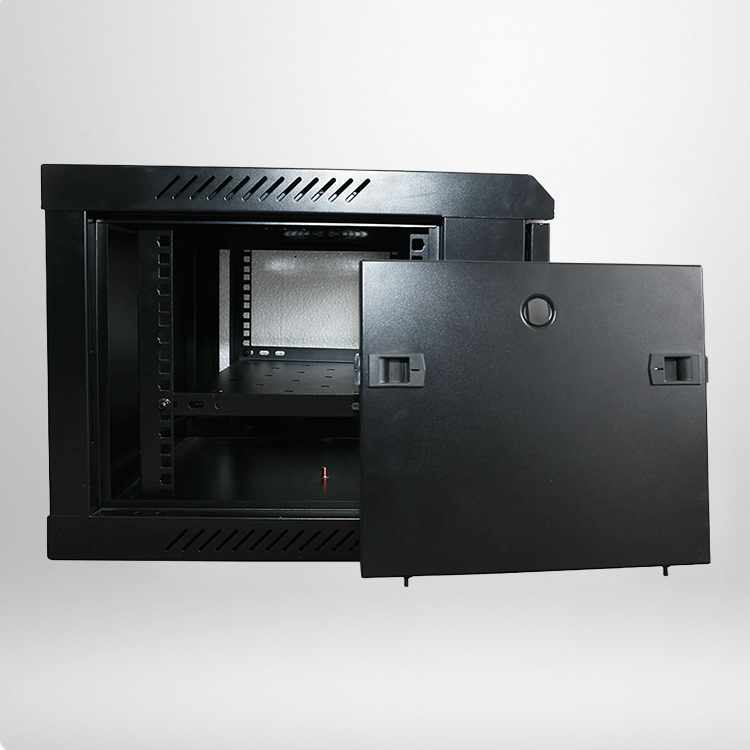
Neat cable management is the key to later operation and maintenance. Professional cabinets are equipped with reserved cable holes with rubber protective rings on the top and bottom, which can effectively prevent wire abrasion and dust entry. Matching cable management trays and line arranging buckles help classify network cables, power cords and optical fibers.
Good expandability is also important. Standard reserved mounting holes and detachable side doors facilitate later equipment expansion, daily inspection and component replacement, greatly improving maintenance efficiency.
5. Safety and Anti-Interference Design
Data room equipment involves core business data, so anti-theft and anti-interference functions cannot be ignored. Formal cabinets are equipped with front and rear door lock structures to prevent irrelevant personnel from touching equipment. The overall metal frame also has certain electromagnetic shielding performance, which can reduce external electromagnetic signal interference and ensure stable network transmission.
Frequently Asked Questions When Purchasing Data Room Cabinets
1. Is a fully enclosed cabinet better than an open rack for data rooms?
For formal data rooms, fully enclosed cabinets are more recommended. Open racks have poor dust prevention and safety, and cannot shield electromagnetic interference. Enclosed cabinets with ventilation structures balance heat dissipation, protection and safety, which is more suitable for long-term commercial operation.
2. How to choose the right cabinet U height for device installation?
It is necessary to reserve 20% to 30% extra space on the basis of existing equipment height. Reserved space facilitates later equipment upgrading, heat circulation and cable arrangement, avoiding full load installation that affects heat dissipation and expansion.
3. Do I need to install extra cooling fans for the cabinet?
If the data room has no special air conditioning equipment or the internal equipment density is high, it is necessary to configure cooling fans. For low-density and well-ventilated office environments, the original natural ventilation structure can meet daily use needs.
4. What is the standard service life of a network cabinet?
High-quality steel cabinets with anti-rust treatment can be used for more than 8 to 10 years in indoor constant temperature environments. Daily regular dust cleaning and screw inspection can further extend the service cycle.