
For most commercial and small-scale data center users, network rack storage is not just about holding equipment. It directly affects operational efficiency, heat dissipation performance, and future device expansion. Unreasonable equipment arrangement often leads to overcrowded hardware, blocked ventilation, tangled cables, and even hidden safety hazards. Worse still, wasted rack space forces businesses to purchase extra cabinets in advance, increasing unnecessary procurement and maintenance costs.
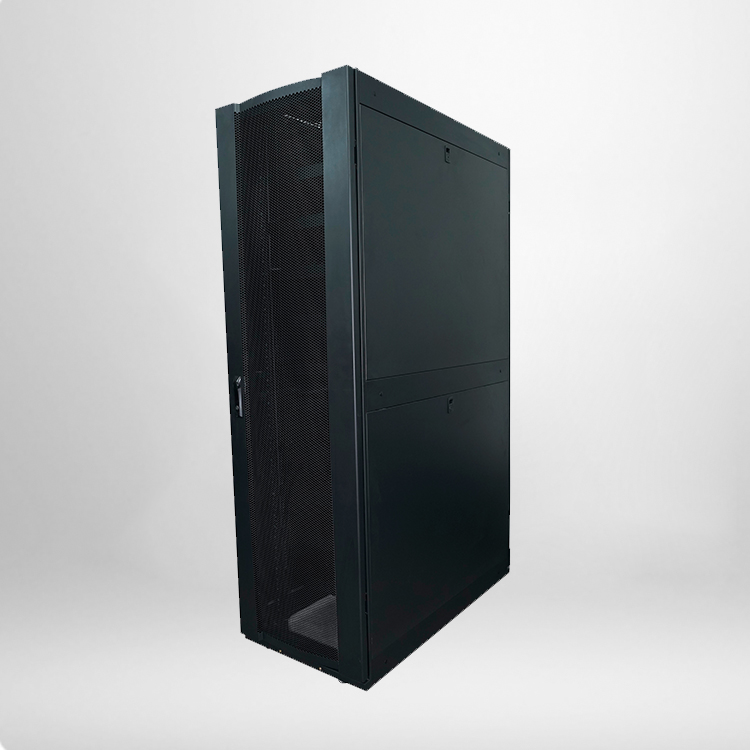
Different from oversized racks that cause space waste and undersized racks that limit deployment, the 22u standing network rack features a moderate height specification, which is specially designed for medium and small IT scenarios. Proper storage optimization allows users to accommodate more standard network devices while maintaining a neat, ventilated, and easy-to-maintain cabinet environment.
Core Technical Specifications of Standard 22u Standing Network Rack
To optimize storage scientifically, you first need to understand the standard parameters of a qualified 22u standing network rack. All specifications below comply with ANSI/EIA RS-310-D and IEC297-2 international standards, ensuring full compatibility with mainstream 19-inch rack-mounted equipment on the market.
|
Specification Item
|
Standard Parameter
|
Practical Function
|
|---|---|---|
|
Usable Mounting Height
|
22U / 977mm
|
Supports layered installation of switches, routers, servers and PDUs
|
|
External Dimension
|
600(W)×800(D)×1166(H) mm
|
Fits most office and small machine room layout spaces
|
|
Max Load Capacity
|
800kg
|
Stably bears heavy servers and stacked network hardware
|
|
Protection Level
|
IP20
|
Prevents dust and foreign objects from damaging internal equipment
|
|
Material
|
Cold-rolled steel, powder-coated finish
|
Anti-corrosion, anti-rust and long service life
|
|
Mounting Standard
|
19-inch international standard
|
Compatible with all mainstream rack-mounted IT equipment
|
Practical Methods to Maximize 22u Standing Network Rack Storage
1. Classify Equipment by U Height for Layered Layout
The core of storage optimization is precise U-height matching. Standard network equipment has fixed U specifications, including 1U switches, 2U servers, and 4U storage devices. Users should classify all equipment before installation and arrange devices in order of height from bottom to top. Place heavy 2U-4U devices at the bottom to stabilize the cabinet center of gravity, and install lightweight 1U equipment and patch panels at the top. This method avoids space gaps caused by random placement and makes full use of the 22u standing network rack’s vertical storage space.
2. Adopt Professional Cable Management Accessories
Disordered cables are the biggest invisible space waster in network cabinets. Too many tangled cables will occupy limited internal space, block ventilation channels, and even squeeze the installation position of subsequent equipment. Equipping the rack with cable trays, vertical and horizontal cable organizers, and binding belts can standardize cable routing. Effective cable management not only releases hidden storage space but also improves later maintenance efficiency and reduces equipment failure rates caused by poor heat dissipation.
3. Utilize Adjustable Mounting Rails for Flexible Depth Layout
Most high-quality 22u standing network rack models are equipped with adjustable mounting rails, with a depth adjustment range of 150mm to 700mm. For equipment with different depths such as routers, optical modules and monitoring hosts, users can adjust the rail position according to actual size. This flexible layout eliminates redundant depth space, ensures every horizontal area of the cabinet is fully utilized, and greatly improves overall storage density.
4. Reserve Standard Expansion Space Reasonably
Maximizing storage does not mean filling the cabinet completely. Sufficient gap space must be reserved for equipment heat dissipation and future capacity expansion. It is recommended to reserve 2-3U idle positions in the cabinet and keep 5-10cm ventilation gaps between layered equipment. This balanced layout achieves the dual goals of high storage utilization and stable long-term operation of equipment.
FAQs About 22u Standing Network Rack Storage Optimization
To help users solve practical deployment problems, we have sorted out 5 frequently asked questions based on B-end procurement and IT operation experience.
1. What scenarios are suitable for a 22u standing network rack?
It is most suitable for small enterprise machine rooms, office network wiring, campus monitoring systems, and retail store centralized equipment deployment. Its moderate height and stable structure perfectly match the equipment volume and space scale of small and medium-sized commercial scenarios.
2. How much equipment can a standard 22u standing network rack hold?
After optimized layout, it can accommodate 8-12 sets of 1U switches, 3-5 sets of 2U servers, and supporting patch panels and PDU power supplies. The specific quantity depends on equipment depth and heat dissipation requirements, with an overall space utilization rate of over 85% after standardized arrangement.
3. Will full storage affect the service life of rack equipment?
Reasonable dense layout with reserved ventilation gaps will not affect equipment life. On the contrary, standardized storage reduces cable chaos and heat accumulation. The premise is to avoid overfilling and ensure the rack’s top and bottom ventilation channels are unobstructed.
4. What accessories help improve rack storage efficiency?
Common practical accessories include adjustable mounting rails, vertical cable managers, layered vented shelves, and high-load PDUs. These accessories solve the problems of space waste and messy wiring, significantly improving the effective storage capacity of the cabinet.
5. Is a 22u standing network rack better than wall-mounted racks for storage?
Absolutely yes. Compared with wall-mounted racks with limited load capacity and small space, the floor-standing 22u model has higher load-bearing performance and larger vertical space, supporting more equipment stacking and layered deployment. It is the preferred choice for long-term commercial IT layout.
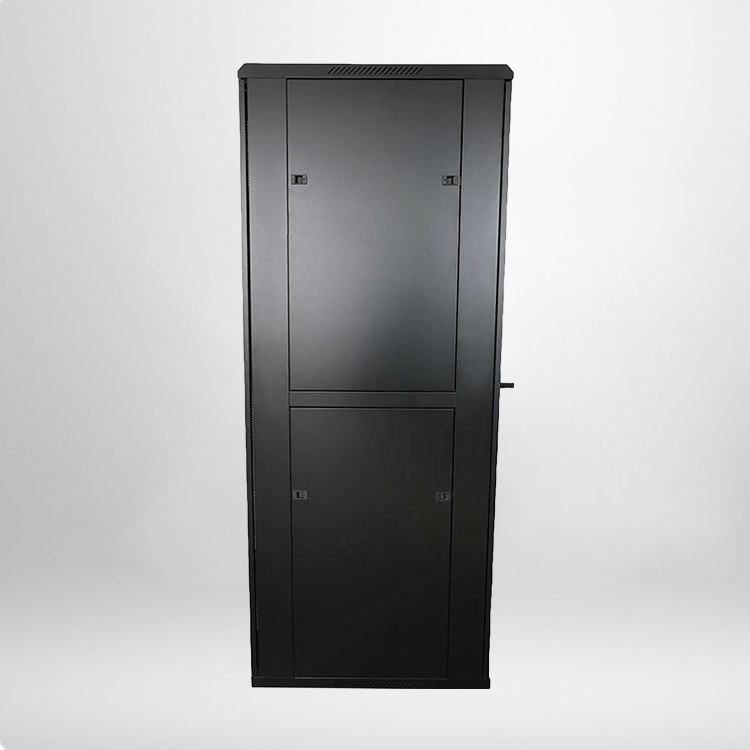
Maximizing the value of a 22u standing network rack is not about blind stacking equipment, but about scientific layout and standardized management. By matching equipment specifications, optimizing cable management, adjusting installation positions, and reserving expansion space, every inch of the cabinet’s storage potential can be fully released. For small and medium businesses, this simple and effective optimization method can save IT space costs and improve the stability of the entire network system.