
Modern IT hardware generates a large amount of heat during continuous operation. Processors, hard drives, power supplies, and network cards all produce heat when working at high load. Without effective heat dissipation, hot air will be trapped inside the closed cabinet, leading to a series of hidden risks for electronic components. A professional server cabinet is designed with standardized ventilation structures, and reasonable ventilation management can fundamentally shield hardware from high-temperature damage.
How Heat Builds Up Inside a Standard Server Cabinet
Server cabinets are relatively closed working environments. When multiple devices are stacked and running 24/7, heat accumulates rapidly in the limited internal space. Unlike open office equipment, cabinet-mounted servers cannot dissipate heat through natural air circulation alone. Hot air will linger around hardware surfaces, continuously increasing the operating temperature of components.
In daily operation, many small and medium-sized data centers adopt a sealed cabinet placement method to reduce dust pollution. While this protects equipment from dust erosion, it also blocks the flow of internal and external air. If the cabinet lacks scientific ventilation design or later ventilation optimization, the internal temperature will far exceed the safe operating range of IT hardware, bringing long-term hidden dangers.
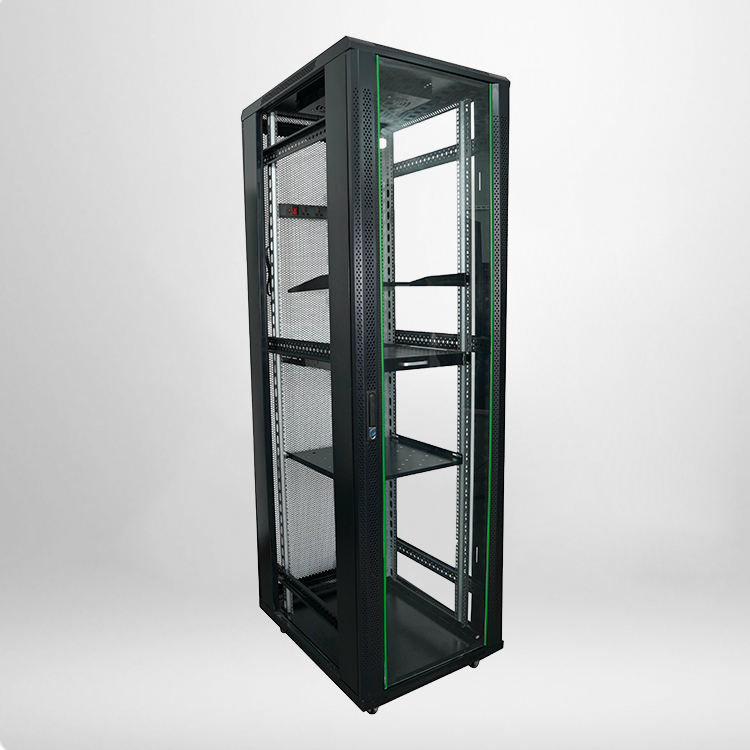
Core Benefits of Standard Server Cabinet Ventilation for IT Hardware
1. Avoids Component Overheating and Sudden Shutdowns
The most direct benefit of proper ventilation is controlling the internal temperature of the cabinet within a safe range. Most server CPUs and storage devices have a fixed safe operating temperature threshold. Once the temperature exceeds the standard, the system will automatically reduce operating frequency or trigger emergency shutdown protection. Good air circulation inside the server cabinet can take away excess heat in real time, ensuring stable power-on operation of equipment all year round.
2. Extends the Service Life of Electronic Components
High temperature is the biggest killer of electronic hardware. Long-term high-temperature operation will accelerate the aging of circuit boards, capacitors, and chip pins, leading to reduced equipment sensitivity and increased failure rate. Scientific ventilation can maintain a constant and mild operating environment inside the cabinet, slow down component aging, and effectively extend the overall service life of IT hardware.
3. Reduces Hardware Fault and Maintenance Costs
Unplanned hardware failures will not only cause business downtime losses but also bring additional equipment replacement and maintenance costs. Most heat-induced hardware faults are cumulative and irreversible. By optimizing the ventilation structure of the server cabinet, enterprises can effectively reduce daily failure frequency, lower later operation and maintenance pressure, and save long-term IT operating costs.
Key Technical Parameters for Qualified Server Cabinet Ventilation
To judge whether a server cabinet has qualified heat dissipation capacity, we can refer to industry-standard ventilation and temperature parameters. The following data covers the safe operating environment of most conventional IT equipment, with high reference value for daily deployment and maintenance.
|
Parameter Item
|
Safe Standard Range
|
High-Risk Range
|
Ventilation Optimization Suggestion
|
|---|---|---|---|
|
Cabinet Internal Operating Temperature
|
18℃ – 27℃
|
Above 30℃
|
Increase top and side ventilation panels
|
|
Internal Humidity
|
40% – 60% RH
|
Above 70% RH
|
Match ventilation with dehumidification equipment
|
|
Single Cabinet Airflow
|
300 – 500 CFM
|
Below 200 CFM
|
Install auxiliary cooling fans
|
|
Temperature Difference (Inside & Outside)
|
≤ 5℃
|
≥ 8℃
|
Optimize front and rear air duct circulation
|
Common FAQ About Server Cabinet Ventilation and Hardware Protection
1. Is natural ventilation enough for a standard server cabinet?
Natural ventilation is only suitable for cabinets with low equipment load and few internal devices. For fully configured cabinets with 24-hour high-load operation, natural air circulation cannot meet heat dissipation needs. It is necessary to rely on the cabinet’s own ventilation holes, mesh doors, and auxiliary fan systems to form a complete air duct for efficient heat dissipation.
2. What problems will poor cabinet ventilation cause?
Poor ventilation will lead to continuous high temperature inside the cabinet, resulting in frequent server restarts, hard disk bad sectors, power supply burnout, and network card disconnection. In the long run, it will cause permanent aging of hardware components, greatly shorten equipment service life, and even trigger data loss risks in severe cases.
3. How to optimize server cabinet ventilation without changing equipment?
Daily optimization can be completed through simple operations. First, keep the front and rear air inlets and outlets of the cabinet unobstructed, and do not stack cables or sundries to block the air duct. Second, choose a cabinet with mesh door and dense ventilation holes to improve natural air circulation. Finally, install low-noise auxiliary fans to accelerate hot air discharge and balance internal temperature.
4. Does cabinet sealing affect ventilation and hardware safety?
Proper sealing can prevent dust from entering the cabinet and protect hardware, but excessive fully closed design will completely block air circulation. The optimal solution is to adopt a semi-sealed design with professional ventilation structures, which can isolate dust and ensure smooth heat dissipation, achieving a balance between dust prevention and ventilation.

All in all, server cabinet ventilation is never a trivial detail in IT infrastructure management. It is a basic guarantee for long-term stable operation of all hardware equipment. Spending a little time optimizing cabinet ventilation can avoid most heat-related hardware failures, save a lot of maintenance costs, and keep your IT system running stably all the time.