
Overheating is one of the most common and damaging issues for server room and network equipment. Many small and medium enterprises struggle with unstable device performance, frequent downtime, and shortened hardware lifespan simply because their cabinet cooling setup is not optimized. A well-configured standing network cabinet 42U can solve most basic cooling problems if you use the right layout and maintenance methods. This guide shares actionable cooling optimization strategies suitable for daily server room operation.
Why Cooling Optimization Matters for 42U Standing Network Cabinets
Most standard network and server devices adopt front-in and rear-out airflow design. When cooling is inefficient, hot air accumulates inside the cabinet, raising internal temperature and humidity. This not only causes network switches, routers and servers to run at reduced speed but also increases hardware failure rates and power consumption.
A qualified standing network cabinet 42U provides standardized internal space, stable structural support and reserved heat dissipation channels. However, original factory settings cannot adapt to all equipment density and room environments. Targeted cooling optimization can balance internal temperature, maintain stable equipment operation, and reduce long-term operation and maintenance costs.
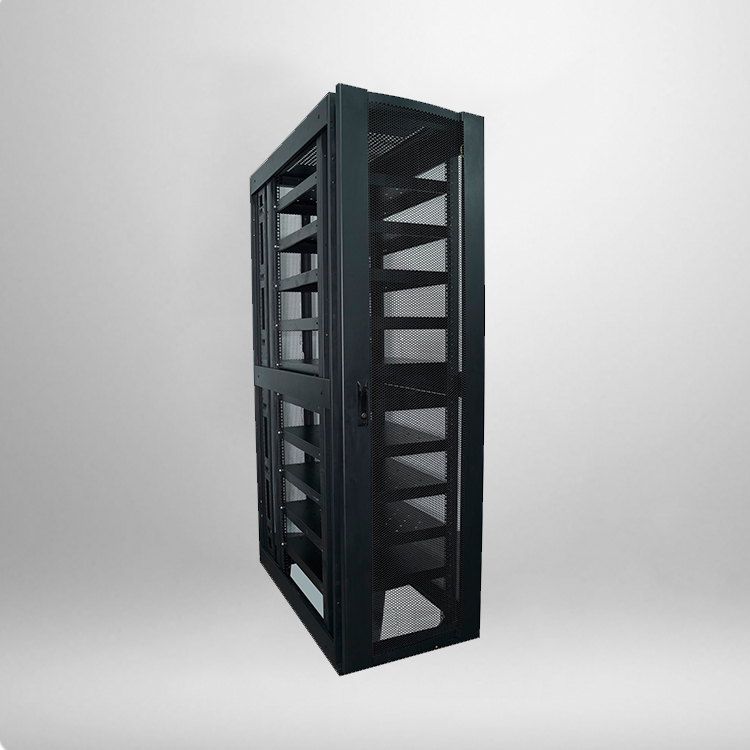
Core Structural Parameters of Standard 42U Standing Network Cabinet
To complete professional cooling optimization, you need to understand the standard parameters of a standing network cabinet 42U. These data support airflow layout and fan configuration, ensuring all adjustments are reasonable and effective.
|
Parameter Item
|
Standard Specification
|
Cooling Optimization Reference
|
|---|---|---|
|
Overall Height
|
42U (2000mm)
|
Reserve top and bottom ventilation gaps
|
|
Common Width & Depth
|
600mm*600mm / 600mm*800mm
|
Deep cabinet suits high-power devices for better exhaust
|
|
Door Ventilation Rate
|
55%-65% perforated mesh
|
64% open area is the optimal cooling standard
|
|
Max Load Capacity
|
800-1000KG
|
Avoid over stacking to prevent blocking air ducts
|
|
Built-in Fan Bit
|
Top 2-4 fan reserved positions
|
Match 120mm/140mm silent cooling fans
|
Practical Cooling Optimization Methods for 42U Network Cabinets
1. Standardize Internal Equipment Layout
Disordered equipment installation is the primary cause of poor cabinet cooling. Many users place high-power servers and low-power network devices randomly, leading to concentrated local heat and blocked airflow. For a standing network cabinet 42U, you should follow the principle of low front and high rear, low power at the bottom and high power at the top.
Place switches, optical modules and other low-heat devices on the lower and middle layers, and install high-heat servers and storage devices on the upper middle layer. This layout conforms to the hot air rising principle, avoids hot air accumulation at the bottom, and forms a smooth front-to-back airflow circulation. In addition, install blanking panels on unused rack spaces to prevent cold and hot air convection confusion inside the cabinet.
2. Optimize Cabinet Ventilation Structure
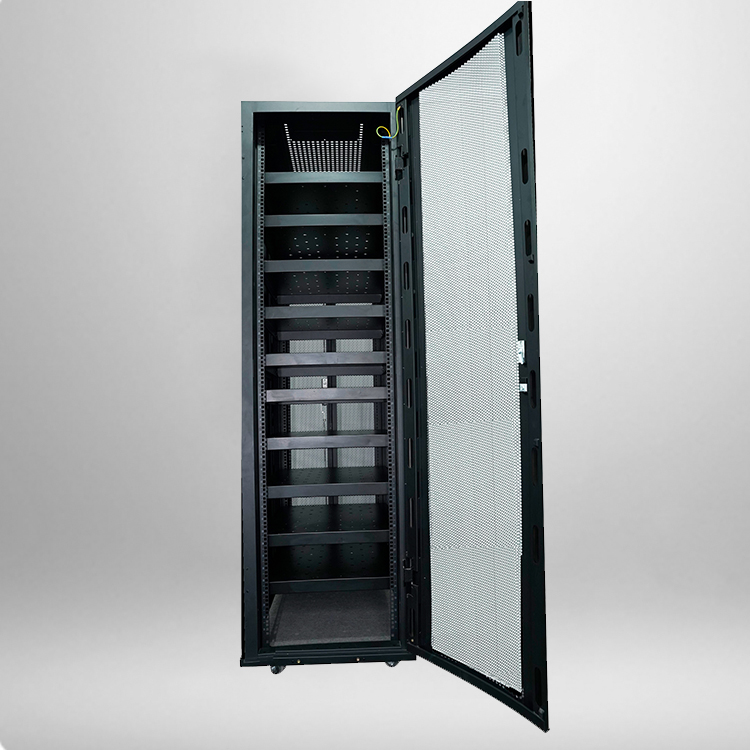
Ventilation performance directly determines cooling efficiency. The front and rear perforated doors of the standard 42U cabinet ensure basic air circulation, but many users ignore the sealing and gap management. During optimization, keep the front and rear door mesh unobstructed, do not paste stickers or block ventilation holes with cables.
For environments with high equipment density, you can upgrade the top cooling fan combination. It is recommended to configure 3 to 4 120mm silent fans to strengthen hot air exhaust. At the same time, properly reserve gaps on both sides of the cabinet to avoid close fitting with the wall, ensuring smooth side auxiliary heat dissipation.
3. Match Room Hot and Cold Aisle Layout
Single cabinet cooling adjustment has limited effect, and overall server room layout is the key to long-term stable heat dissipation. Arrange multiple cabinets in a hot and cold aisle alternating mode, with all equipment air inlets facing the cold aisle and exhaust outlets facing the hot aisle.
This layout prevents the hot air exhausted by the cabinet from being sucked into the equipment again, avoids internal temperature rise caused by air mixing, and
4. Standardize Cable Management to Reduce Air Blockage
Messy cables are easily overlooked cooling obstacles. A large number of entangled network cables and power cables will block the internal airflow channel, resulting in slow hot air discharge and local hot spots. In daily maintenance, use cable ties and wire grooves to sort out cables, separate power cables and network cables, and fix them on both sides of the cabinet.
Do not stack cables in the middle of the cabinet to reserve the main airflow channel for equipment intake and exhaust. Regularly clean up redundant waste lines to ensure long-term unobstructed heat dissipation inside the standing network cabinet 42U.
Frequently Asked Questions About 42U Cabinet Cooling Optimization
Q1: Will more cooling fans improve cabinet cooling effect?
Not exactly. The cooling effect depends on airflow circulation rather than the number of fans. Excessive fans will cause internal air turbulence, increase noise and power consumption, and even interfere with the original airflow direction of equipment. It is enough to match the number of fans according to equipment power density.
Q2: What is the optimal working temperature for a 42U standing network cabinet?
The ideal internal temperature is 18°C to 24°C, and the humidity is controlled at 40% to 60%. Too low temperature will cause equipment condensation, while too high temperature will lead to equipment overheating and frequency reduction. Stable temperature and humidity can maximize equipment operating efficiency and service life.
Q3: Why does the cabinet still overheat after installing fans?
Most cases are caused by blocked airflow and unreasonable layout. Common reasons include blocked door ventilation holes, messy cable blocking air ducts, wrong equipment installation direction, and no blanking panels for empty spaces. Checking and optimizing these details can solve most overheating problems.
Q4: Is hot and cold aisle layout necessary for small server rooms?
It is necessary for long-term stable operation. Even for small and medium-sized server rooms with only a few cabinets, simple hot and cold aisle division can avoid air mixing, reduce the burden of air conditioning cooling, and effectively reduce equipment failure rate caused by heat accumulation.
Q5: How often should the 42U cabinet cooling system be maintained?
It is recommended to conduct a comprehensive inspection every quarter, including fan operation status, ventilation hole dust blockage, cable layout and internal temperature and humidity monitoring. Thoroughly clean dust and debris every six months to ensure long-term stable cooling performance of the cabinet.