
In modern office environments, data centers, and home networks, the management of equipment and cables is a key factor affecting overall operational efficiency. The wall-mounted network cabinet, as a compact and practical solution, is being adopted by an increasing number of users. This article introduces the value of wall-mounted network cabinets from the perspectives of functional features, applicable scenarios, and installation guidelines.
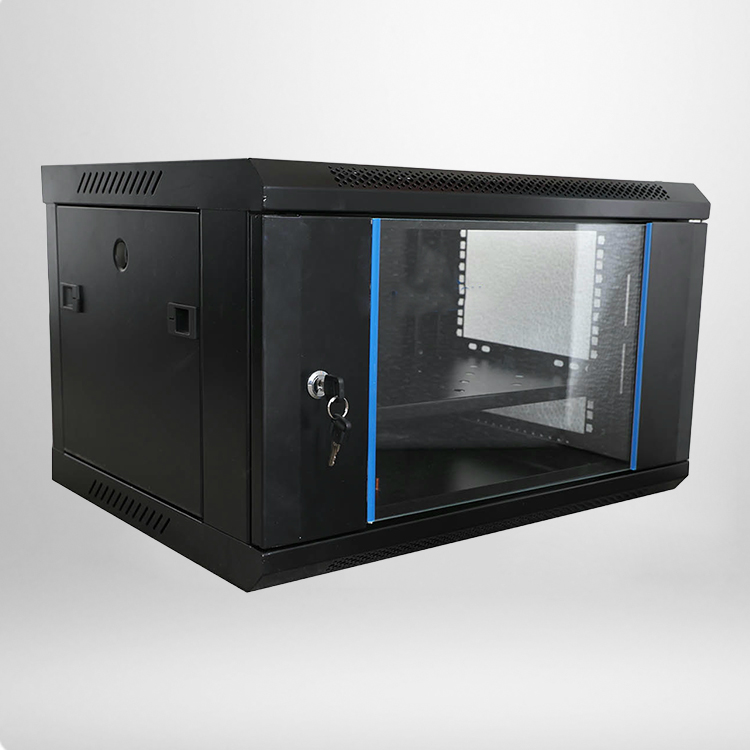
What Is a Wall-Mounted Network Cabinet?
A wall-mounted network cabinet is a standardized enclosure designed to be installed on walls, primarily used to house network switches, routers, patch panels, optical transceivers, and other communication equipment. Compared with traditional floor-standing cabinets, wall-mounted models are more compact and make full use of vertical space, making them suitable for areas with limited space or where distributed cabling is required.
Key Features and Structural Characteristics
Space Saving
The wall-mounted design occupies no floor space, allowing the cabinet to be placed in corridors, telecommunication rooms, office corners, and other areas. This is especially useful for floor distribution points or small workgroup network aggregation.
Good Thermal Dissipation
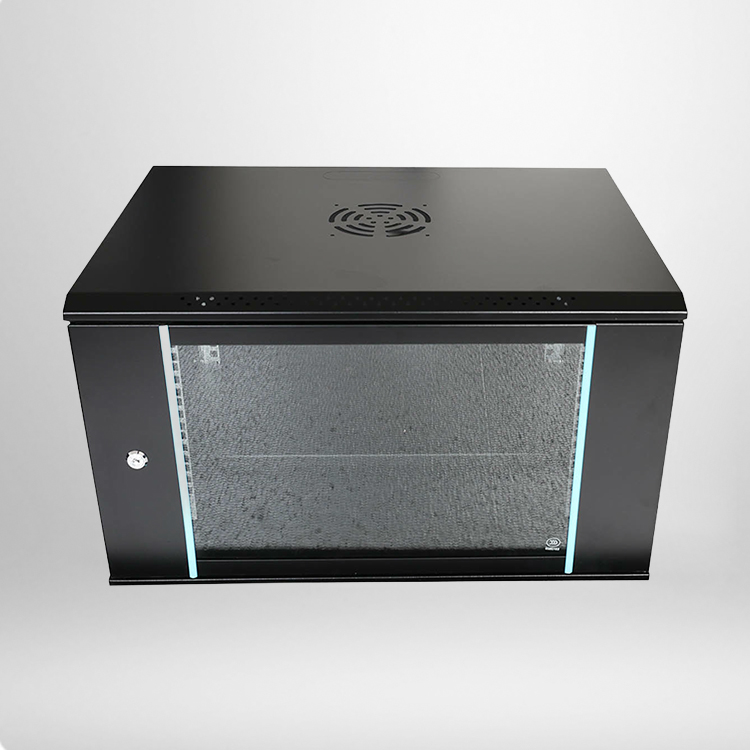
These cabinets typically feature ventilation holes, mesh doors, or reserved fan mounting positions to ensure that heat generated by internal equipment is expelled in time, maintaining stable system operation.
Flexible Cable Management
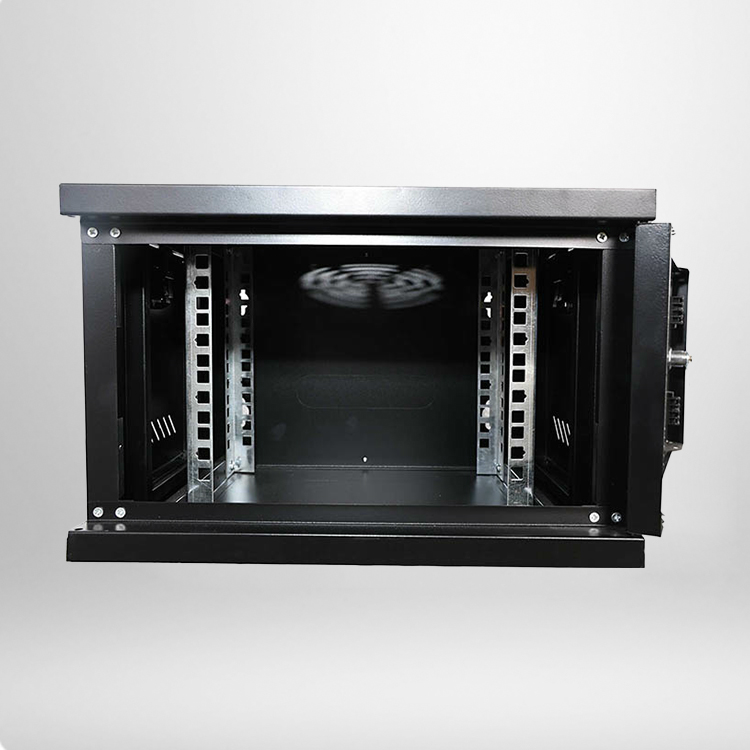
Internal cable management includes cable ducts, tie bars, and organizing rings, supporting cable routing from both the front and rear. Proper cable routing helps reduce signal interference and facilitates future maintenance and troubleshooting.
Secure Locking System
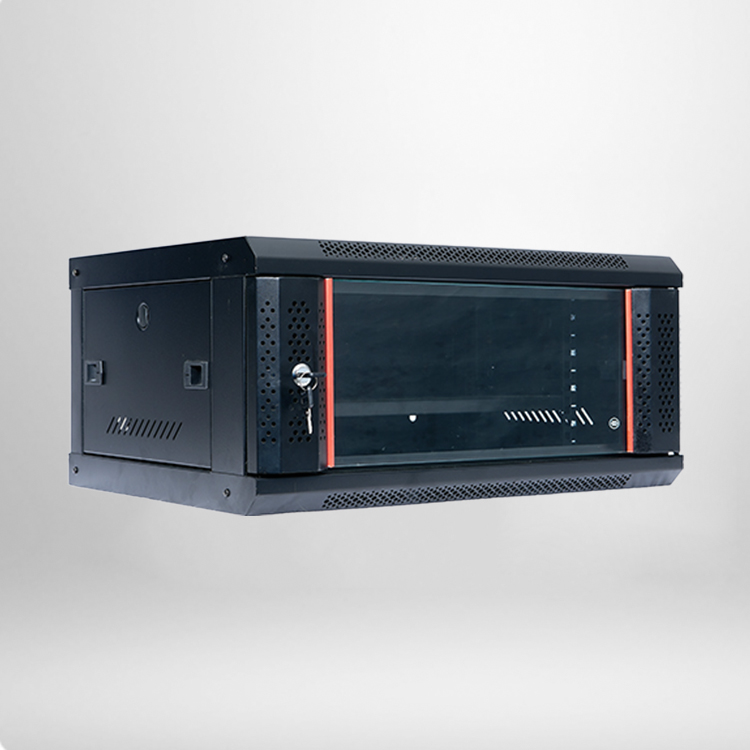
Most front doors are equipped with professional locks to effectively prevent unauthorized access or equipment theft. Transparent glass or acrylic doors allow easy viewing of equipment status LEDs.
Variety of Sizes
To meet different equipment quantities and depth requirements, wall-mounted network cabinets come in various heights (e.g., 4U, 6U, 9U, 12U) and depths (e.g., 300mm, 400mm, 600mm). Users can choose based on actual equipment depth and quantity.
Typical Application Scenarios
Corporate Office Floors – Centrally deploy network access equipment on walls in telecommunication rooms or open office areas to simplify horizontal cabling.
Schools and Medical Facilities – In hallways of school buildings or hospital wards, wall-mounted cabinets reduce the occupation of public space while providing distributed network nodes.
Retail Stores – POS systems, surveillance equipment, and wireless AP aggregation points often use wall-mounted cabinets for discreet installation.
Smart Homes and Small Studios – Home multimedia centers or small server areas can achieve tidy and secure equipment placement with wall-mounted cabinets.
Installation Precautions
1. Wall Load Assessment – Before installation, confirm that the wall is solid or has a load-bearing stud structure, and use appropriate expansion bolts to secure the cabinet backplate.
2. Reserve Working Space – Leave sufficient space in front of the cabinet for opening the door and plugging/unplugging cables, and keep ventilation clearance on the sides or bottom.
3. Grounding and Lightning Protection – Metal cabinets must be reliably grounded to protect internal equipment from static electricity and lightning damage.
4. Cable Bend Radius– When fiber optic and twisted-pair cables enter the cabinet, pay attention to the bend radius to avoid excessive bending that degrades transmission performance.
5. Labeling and Documentation – After installation, clearly label all cables and equipment and keep a patch panel diagram to facilitate future maintenance.
How to Choose the Right Wall-Mounted Network Cabinet?
Based on Equipment Depth– Measure the depth of the deepest device (switch, patch panel, etc.) and select a cabinet whose internal usable depth exceeds that value.
Based on Port Count– Estimate the number of copper and fiber ports required for current and next two years of operation, then determine the number of patch panels and equipment layers.
Based on Environmental Requirements – For dusty or privacy‑sensitive locations, choose a fully enclosed cabinet with a lockable glass door. For high‑heat dissipation needs, a mesh door is recommended.
Compatibility – Ensure the cabinet conforms to the standard 19‑inch mounting specification so that all common network equipment can be properly installed.
Routine Maintenance Suggestions
Regularly check the flexibility of the door lock and hinges.
Clean dust from air intakes to keep cooling airflow unobstructed.
Monitor internal temperature changes and add auxiliary cooling fans if necessary.
Check for any loosening of mounting screws.
Update cable labels to avoid connection confusion caused by personnel changes.
Wall-mounted network cabinets offer the core advantages of saving space, organizing cables, and protecting equipment, making them an indispensable infrastructure component in many small to medium‑sized network deployments. Proper selection and standard installation not only improve the neatness and reliability of the network system but also reduce long‑term operating and maintenance costs. Whether for new projects or network renovations, the wall-mounted network cabinet is a cable management solution worth prioritizing.