
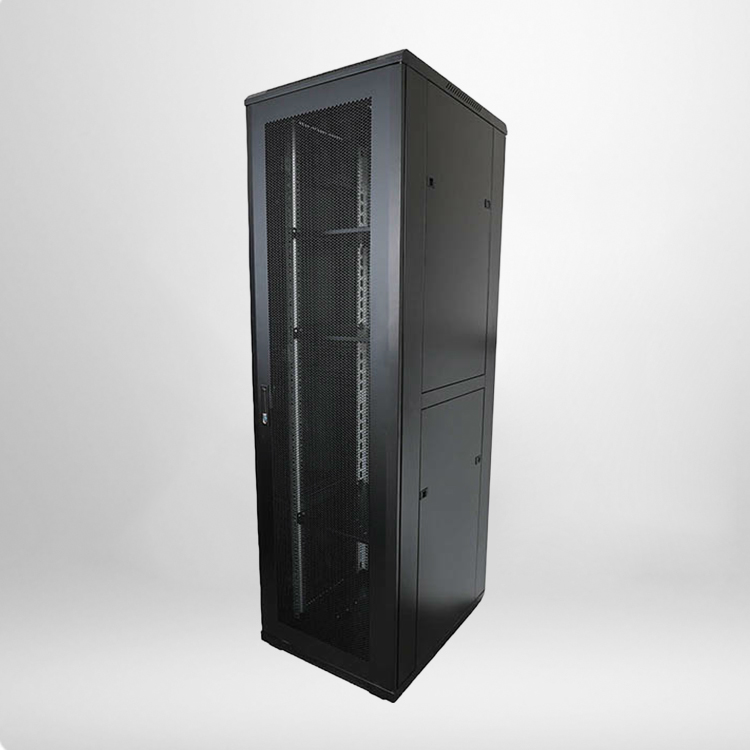
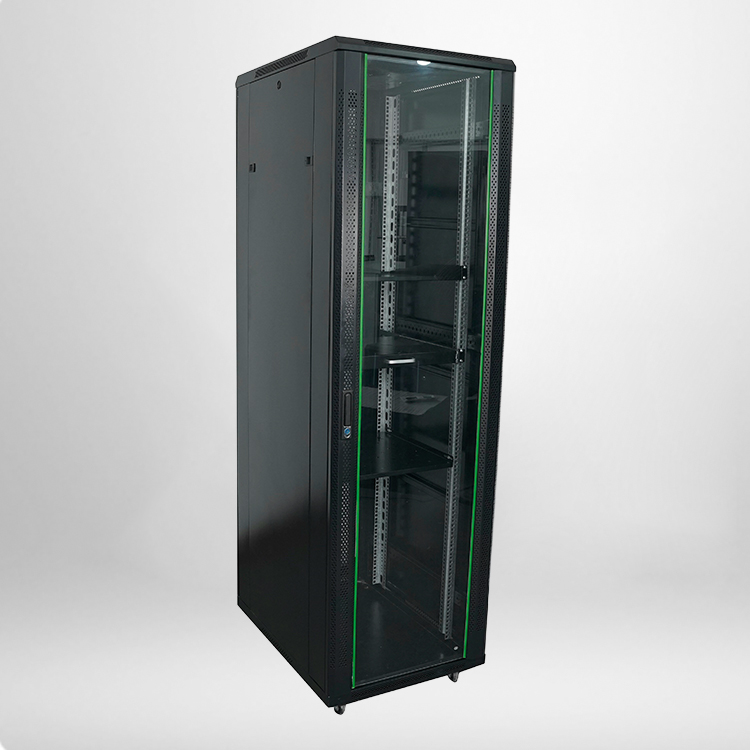
A full-size 42U rack is the most common choice for enterprise-level network and server installations. Unlike small wall-mounted racks for home labs, this tall, freestanding rack holds heavy-duty servers, UPS systems, network switches, firewalls, and storage arrays. Knowing its accurate weight limit helps IT managers plan device layout, avoid overloading, and maintain long-term room operational safety.
Standard Core Specifications of a 42U Network Rack Cabinet
Weight capacity cannot be viewed separately from overall rack quality and structural parameters. Most industry-standard racks follow 19-inch mounting specifications and strict manufacturing standards. To help you fully understand its load-bearing performance, we’ve sorted out the universal and authoritative parameters for a mainstream Network Rack Cabinet 42u used in commercial data centers.
|
Specification Item
|
Standard Commercial Value
|
Practical Deployment Note
|
|---|---|---|
|
External Height
|
2000mm (42U Standard Height)
|
Fits all standard 19-inch rack-mount IT devices
|
|
Standard Depth
|
600mm / 800mm / 1000mm
|
Deeper cabinets offer better weight distribution
|
|
Static Load Capacity
|
800KG – 1000KG
|
Maximum stable weight for stationary installation
|
|
Dynamic Load Capacity
|
500KG – 600KG
|
Safe limit for moving or vibrating environments
|
|
Main Material
|
1.2mm–1.5mm Cold-rolled Steel
|
Thickened steel ensures structural stability
|
|
Mounting Standard
|
19-inch ANSI/EIA Universal Standard
|
Compatible with all mainstream enterprise hardware
|
From the official industry parameters, a qualified standard rack delivers powerful load-bearing performance. The difference between static and dynamic load is the key point that most ordinary users miss. Static load refers to the maximum weight when the cabinet is fixed and placed horizontally, while dynamic load applies to scenarios involving handling, vibration or mobile installation.
Key Factors That Affect 42U Rack Weight Bearing Performance
1. Cabinet Frame Structure
High-quality enterprise-grade racks adopt a four-corner reinforced frame and integral welding process, which can disperse equipment pressure evenly on the base and vertical beams. Some low-cost thin-wall cabinets use simple splicing structures, which will greatly reduce the actual load-bearing capacity, even if marked with standard parameters. For formal data center use, integrated welded frames are always the first choice.
2. Equipment Installation Layout
Even if the total device weight is within the standard range, unreasonable placement will cause local overload. Heavy devices such as servers and UPS power supplies should be placed in the lower and middle layers of the Network Rack Cabinet 42u, while light equipment like switches and patch panels are suitable for the upper layers. This layout keeps the cabinet center of gravity stable and avoids frame deformation caused by top-heavy installation.
3. Ground and Installation Environment
The load-bearing data of the cabinet is based on a flat, horizontal and solid ground. If the rack is placed on an uneven floor, carpet or suspended floor with insufficient bearing capacity, its actual safe load will be significantly reduced. Data center standard anti-static raised floors are professionally designed to match 42U cabinet deployment, ensuring full play of the rack’s structural performance.
Professional Safety Usage Guidelines for 42U Rack Load Bearing
To extend cabinet service life and avoid equipment failure or safety accidents, enterprise IT teams need to follow standardized load-bearing rules. First, never exceed the static load limit for long-term fixed placement. It is recommended to reserve 20% load margin in actual deployment, instead of filling the cabinet with heavy devices to the limit.
Second, regular inspection of vertical beams, mounting rails and fixing screws is essential. Long-term heavy load may cause slight screw loosening or rail deformation. Timely maintenance can effectively prevent potential risks. In addition, when moving the cabinet with equipment installed, strictly refer to the dynamic load standard, and try to unload heavy devices in advance to avoid structural damage.
Frequently Asked Questions (FAQ)
1. What is the difference between static load and dynamic load of a 42U network cabinet?
Static load is the maximum safe weight when the cabinet is fixed stably on flat ground, reaching 800KG to 1000KG for standard models. Dynamic load is the safe weight during movement or vibration, limited to 500KG to 600KG. Dynamic load is always lower due to unstable stress status.
2. Can a standard 42U rack hold multiple full-size rack servers at the same time?
Yes. A qualified standard cabinet can safely hold multiple 1U/2U enterprise servers, matched with switches and storage devices, as long as the total weight does not exceed the static load limit and the installation layout is reasonable.
3. Will overloading shorten the service life of the 42U network cabinet?
Absolutely. Long-term overload will cause permanent deformation of the mounting rails and frame, tilt the cabinet body, and even affect the normal heat dissipation and installation of equipment, greatly reducing the overall service life and bringing hidden dangers to network operation.
4. Do different depths of 42U cabinets affect load-bearing capacity?
Yes. Deepened 800mm and 1000mm cabinets have larger stress areas and more stable structural design, with slightly higher comprehensive load-bearing and stability than conventional 600mm deep models, more suitable for heavy server deployment.