
Small office IT environments have unique needs compared to large enterprise data centers. Most small teams only need to house basic network devices, including Ethernet switches, wireless controllers, firewall devices, and minor server accessories. There is no demand for oversized, heavy-duty floor cabinets that consume precious office floor area.
A well-selected wall mounted network cabinet solves this pain point perfectly. It mounts firmly on idle wall space, keeps floor areas clear for staff and office equipment, and centralizes all network hardware in one locked, organized location. This not only tidies up messy cable layouts but also prevents accidental equipment collisions and unauthorized access by non-technical staff.
Beyond space savings, dedicated wall-mounted cabinets also improve daily heat dissipation. Most office network failures caused by overheating happen because devices are placed openly on desks or shelves, accumulating dust and blocking natural airflow. A professional cabinet design ensures stable ventilation and longer device service life.
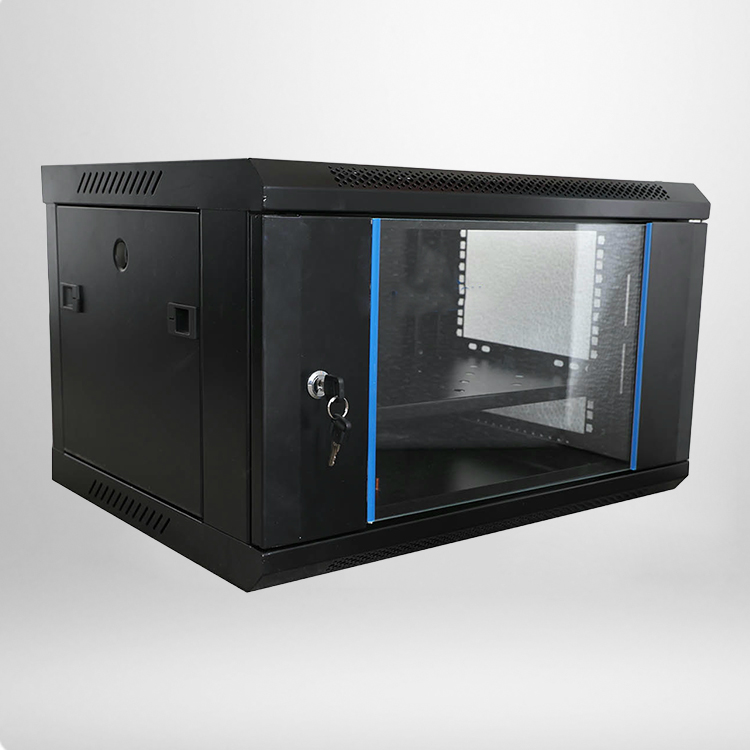
Core Parameters to Check Before Purchasing a Wall Mounted Network Cabinet
Picking the right cabinet is not just about choosing a low price or a nice appearance. Practical technical parameters determine whether the product fits your office scenario and works stably long-term. To help you avoid inferior products, we have sorted out the core standard parameters for mainstream qualified wall-mounted network cabinets suitable for small offices.
|
Parameter Type
|
Standard Specification
|
Small Office Adaptation Requirement
|
|---|---|---|
|
Common Height Options
|
4U, 6U, 9U, 12U
|
4U-9U for basic office network setups
|
|
Internal Standard Width
|
19-inch international standard
|
Compatible with all standard network equipment
|
|
Rated Static Load
|
30KG to 60KG
|
≥40KG to ensure long-term safety
|
|
Main Material
|
High-quality cold-rolled steel
|
Anti-rust, anti-deformation, scratch-resistant
|
|
Ventilation Design
|
Top and side ventilation holes
|
No fan noise, passive heat dissipation
|
|
Lock Configuration
|
Front door security lock
|
Prevent unauthorized equipment operation
|
For most small office IT rooms, 6U and 9U models are the most cost-effective and versatile options. They offer enough internal space to install daily network devices without occupying too much wall area or looking bulky and abrupt in the office environment.
Key Selection Principles for Space-Saving Office Cabinets
When your core goal is space optimization, several key principles can help you filter unsuitable products quickly. First, prioritize shallow-depth cabinet models. Most professional wall-mounted cabinets for offices adopt a shallow design, which perfectly fits thin network switches and routers without protruding too far from the wall.
Second, focus on overall structural stability. Many low-cost thin cabinets save material costs by thinning the frame, which leads to slight bending after equipment installation. A qualified cabinet retains a reinforced frame structure while maintaining a slim body, balancing space-saving advantages and structural safety.
Third, pay attention to cable management details. A good cabinet reserves standardized cable entry and exit holes with rubber edging protection. This prevents cable abrasion and allows neat wiring inside the cabinet, making daily inspection and maintenance much easier for IT staff.
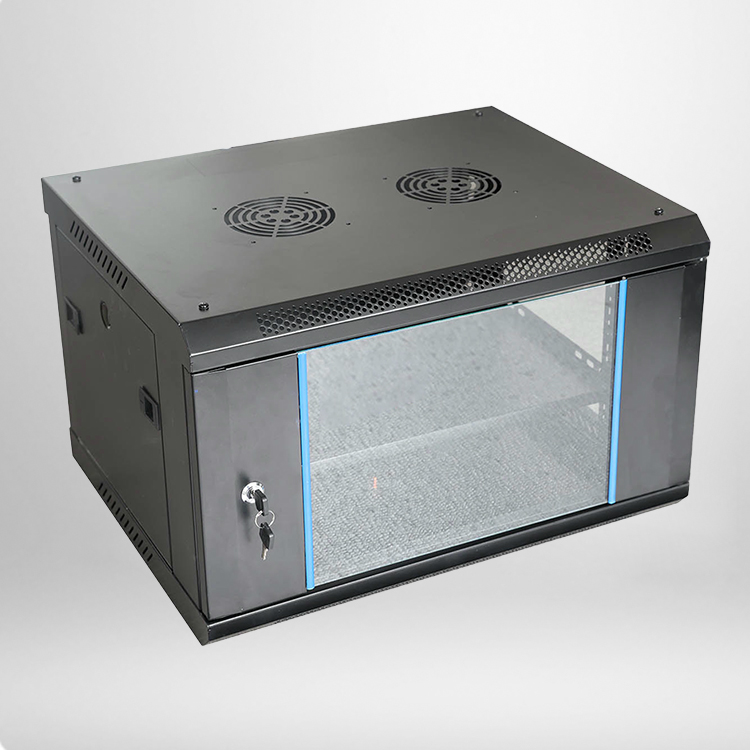
Frequently Asked Questions About Wall Mounted Network Cabinets for Small Offices
Q1: What size wall mounted network cabinet is best for a standard small office?
For regular small offices with 10 to 50 network devices, 6U and 9U shallow-depth cabinets are the most suitable choices. They provide sufficient installation space for core network equipment such as switches and firewalls, fully meet daily office network operation needs, and will not waste wall space due to excessive size.
Q2: Is passive ventilation enough for office wall-mounted cabinets?
Yes. Small office network equipment generates low heat during daily operation. Standard top and side passive ventilation holes can complete natural air circulation and effectively dissipate heat. Active fans are unnecessary and will bring extra noise and power consumption, which is not suitable for quiet office environments.
Q3: How to ensure the wall-mounted cabinet is installed safely?
First, confirm the wall load-bearing capacity, and avoid installing on hollow or fragile walls. Second, match professional expansion bolts according to the cabinet weight. Finally, test the overall stability after installation before placing equipment. Regular products are equipped with complete installation accessories and detailed operation guides.
Q4: Are locked cabinet doors necessary for office network cabinets?
Absolutely necessary. Office areas have high pedestrian flow, and unlocked exposed equipment is prone to accidental touch, collision, or random wiring by non-professionals. A locked door can effectively protect network security, avoid accidental network failures, and ensure the stability of enterprise office network operation.