
A cart that is not stable is not a cart; it is a hazard. This is the first thing I check, because everything else is secondary if the unit tips.
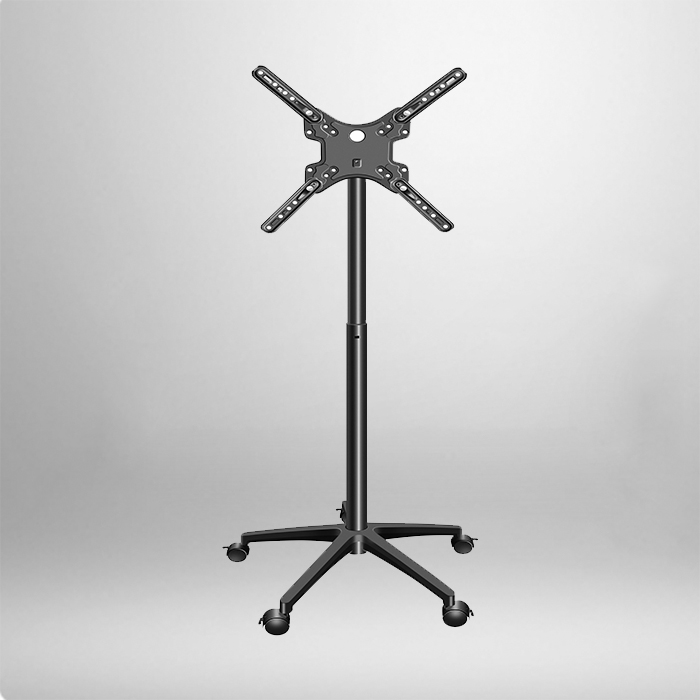
- Base footprint — a wider base means more stability, especially with taller screens. Look for a base at least as wide as the screen height suggests, not a narrow plate that barely fits the pole.
- Wheels — you want locking casters, ideally on all four. Two locking wheels are common but four is safer for a busy room.
- Center of gravity — with a tall display, the load sits high. A heavy base or a low-mounted counterweight makes a real difference when a presenter leans on the screen.
| Screen size | Minimum base width | Recommended casters |
|---|---|---|
| 43 in / 110 cm | 600 mm | 4 locking, 2 with brakes |
| 55 in / 140 cm | 750 mm | 4 locking casters |
| 65 in / 165 cm | 850 mm | 4 locking, wide footprint |
These are rough starting points, not rules. But if a cart is advertised for a 65-inch screen and its base looks small enough to be a dinner plate, walk away.
Match the Mount to Your Screens
Here is where a lot of buyers get burned. They buy a cart for one TV, then a year later the office upgrades to a different model, and the new screen does not fit. Avoid that by checking two numbers on the cart before you buy.
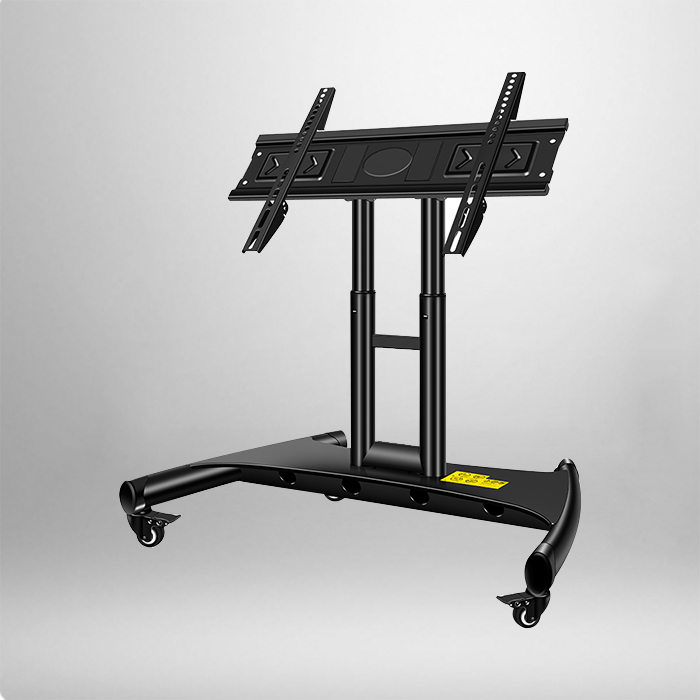
- VESA pattern — this is the hole spacing on the back of the TV. A flexible cart supports several VESA sizes, usually from 100×100 up to 600×400 or more.
- Weight capacity — do not match it exactly to your current TV. Leave headroom, because heavier screens put more stress on the tilt and height mechanisms.
| Cart spec | What to look for |
|---|---|
| VESA range | 100×100 to 600×400 (or wider) |
| Max screen size | At least 1 size above current need |
| Weight capacity | 1.3× to 1.5× your heaviest screen |
| Tilt / swivel | At least ±15° tilt, 360° swivel is a bonus |
A cart with a wider VESA range and a higher weight limit is not more expensive for no reason — it means the unit will still be useful when your screens change.
Mobility That Feels Good, Not Just Works
A conference-room cart gets wheeled around a lot: into a huddle room for a morning standup, into the big room for an afternoon review, back into storage at night. If it fights you every step, people stop using it.
- Smooth casters with brakes — cheap plastic wheels skid and jam on carpet. Rubber-coated wheels handle carpet and hard flooring better.
- Handle placement — a comfortable push handle at the right height makes a difference when the cart is loaded.
- Locking mechanism — being able to lock the wheels firmly is what keeps the cart from drifting mid-meeting.
One practical test: load your actual TV on the cart in the store or showroom and push it over a carpet edge. If it rattles or resists, keep looking.
Cable Management: The Detail Everyone Forgets
I have lost count of how many meeting rooms have a tangle of HDMI and power cables hanging off the back of a cart. It is ugly, it is a trip hazard, and it makes moving the cart twice as annoying. A cart with built-in cable routing — clips, a cable channel, or a tidy bar down the pole — fixes most of this.
| Cable feature | Why it matters |
|---|---|
| Cable channel / clips | Keeps wires neat and out of the way |
| Power strip holder | One place for all plugs, easier to unplug |
| Shelf or tray | A spot for the media player or laptop |
If a cart has none of these, plan to add your own cable management. It is not a deal-breaker, but it will save you five minutes of untangling before every meeting.
Adjustable Height and Tilt: Small Features, Big Comfort
A cart used by different people needs a bit of adjustability. Height adjustment lets a presenter lower the screen for a sit-down talk or raise it for a standing room. Tilt helps reduce glare from windows and ceiling lights, which is a real problem in many conference rooms.
- Height range that covers both seated and standing viewing.
- Tilt that lets you angle the screen slightly downward.
- Smooth, gas-assisted height adjustment if the screen is heavy — a stiff mechanism is exhausting to operate.
Think About Where It Lives
Conference rooms are not all the same, and the cart should match the room. A big room with a long table wants a cart with a larger screen and a wider base. A small huddle room might be better served by a compact unit that tucks against a wall when not in use.
Also think about storage. If the cart lives in a shared closet between meetings, its footprint matters. A bulky base that barely fits through a door is a daily annoyance you will feel forever.
Price Versus Value: What I Actually Recommend
Here is the honest part. You can find a very cheap Tv Stand Cart, and you can find one that costs ten times as much. The sweet spot for most conference rooms is a mid-range unit with four locking casters, a flexible VESA range, and decent cable management — not the cheapest, and not the one loaded with features nobody uses.
A good rule of thumb: spend once on a cart that has the stability and adjustability you need, instead of buying a cheap one now and a replacement later. In a business setting, the cart is used by many people, moved often, and expected to last years. That is exactly the kind of purchase where a little more up front pays off.
The Bottom Line
When you are picking a Tv Stand Cart for a conference room, resist the urge to compare only prices. Focus on the four things that decide whether it will actually work day to day: stability, VESA fit and weight capacity, smooth mobility with locking wheels, and cable management. Get those right, and the cart stops being a small annoyance and becomes the piece of furniture the whole team quietly relies on.
If you are shopping next week, write down those four checks and take them with you. Measure your screens, note the VESA pattern, and push a loaded cart over a carpet edge. That ten-minute test will save you months of frustration — and probably a second purchase.
Frequently Asked Questions
Q1: What size Tv Stand Cart do I need for a 55-inch screen in a conference room?
For a 55-inch display, look for a cart rated at least to that size, a VESA range reaching 400×400 or wider, a weight capacity about 1.3× your screen, and four locking casters for stability.
Q2: Are locking wheels really necessary on a conference cart?
Yes. In a busy room, a cart that drifts when someone leans on the screen or bumps the base is both annoying and unsafe. Four locking casters keep it firmly in place.
Q3: Can one Tv Stand Cart fit TVs from different brands?
Usually, if the VESA pattern falls within the cart’s supported range. Check both the VESA hole spacing and the weight capacity against each screen before buying.
Q4: Does cable management on the cart really matter?
More than most people expect. Clean cable routing cuts trip hazards, saves time before meetings, and makes the cart much easier to move and store.
Q5: Is it worth paying more for a cart with adjustable height?
If the room hosts both seated and standing meetings, yes. Adjustable height and tilt make the cart comfortable for different people and reduce glare — a worthwhile upgrade for shared spaces.