
So you finally want to get that television off the coffee table and up on the wall. Great idea — until you remember the wall is just drywall and plaster, and suddenly the whole thing feels risky. And honestly, it is. Drywall alone holds almost nothing; the drywall is basically a thin shell, and everything depends on what is behind it. The good news is that thousands of people mount TV brackets on drywall every single week without a problem. The difference between a clean install and a television that ends up on the floor is a short checklist you run before you drill anything. This guide walks through exactly what to verify, in the order it matters.
Drywall Is Not a Load-Bearing Material
Before we get into hardware, you need to understand what you are actually attaching to. A standard piece of drywall is 12.7 mm (half-inch) thick gypsum board. It looks solid, but it crumbles under concentrated load. A TV bracket spreads force through its mounting points, and if those points land only in the drywall skin, the screws will eventually pull through — slowly or fast, depending on the weight. This is why mounting hardware always tries to reach something solid behind the board: a wooden stud, a metal stud, or a masonry wall behind it.
What a TV bracket can anchor to behind drywall
| Anchor Point | Typical Material | Load Strength | Notes |
|---|---|---|---|
| Wooden stud | Solid timber | High | Best option for heavy TVs |
| Metal stud | Rolled steel channel | Medium | Needs special toggle or fine-thread anchors |
| Hollow wall anchor | Metal toggle/plasterboard anchor | Medium | Good for lighter mounts in small spots |
| Concrete/masonry behind board | Brick, block, concrete | Very high | Uses sleeve anchors, very reliable |
The takeaway is simple: find the stud, or use an anchor that spreads load properly. Never rely on the drywall board itself to hold a television.
Step 1 — Locate the Studs First
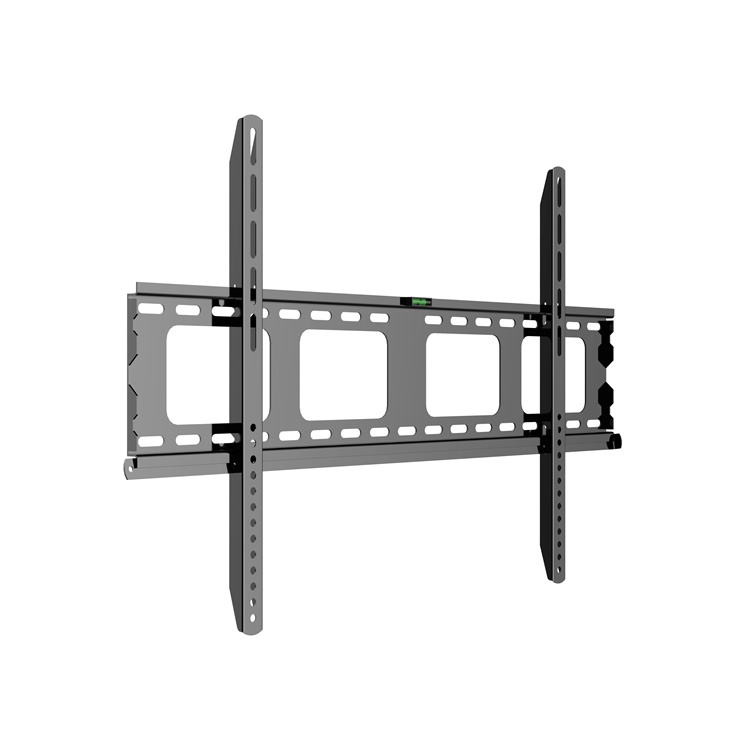
Everything else in this checklist is wasted effort if you drill into a random spot of drywall. Use a quality stud finder, or tap along the wall to find the hollow-sounding zones and confirm the solid spots. Studs in most homes sit 406 mm or 610 mm apart (16 or 24 inches on center), and they are almost always vertical. Mark every stud edge with a pencil before you plan the bracket position. If your TV bracket’s bolt holes do not line up with a stud, do not shift the bracket to a weaker spot — adjust the bracket position or use proper anchors for the remaining holes. This is the single biggest mistake people make, and it is also the easiest one to avoid.
Step 2 — Match the Bracket to the Wall and the TV
Not every TV bracket suits every wall or every television. Run through these three checks before buying or mounting.
- TV weight vs. bracket rating. Every bracket lists a weight capacity. Your television should sit comfortably below that number, not right at the edge.
- VESA pattern compatibility. The four mounting holes on the back of the TV must match the bracket’s plate. Common sizes are 200×200, 300×300, and 400×400 mm. If they do not match, the bracket simply will not attach.
- Wall construction. A light flat mount on a solid stud is one thing; a heavy articulated arm on hollow drywall is another. The more leverage the bracket has, the more anchor strength you need.
Typical TV sizes and recommended bracket ratings
| Screen Size | Typical TV Weight | Recommended Bracket Rating |
|---|---|---|
| 32–43 inch | 6–12 kg | 15–25 kg |
| 50–55 inch | 12–20 kg | 25–40 kg |
| 65–75 inch | 20–35 kg | 40–60 kg |
| 80 inch and up | 35–50 kg+ | 60 kg or higher |
These are typical numbers, not rules for your exact set. Always check the manual for the real weight and VESA size of your own television.
Step 3 — Choose the Right Anchor for Holes That Miss a Stud
Even with careful planning, one or two bracket holes may land between studs. This is normal, and it is not a reason to panic — if you use the right anchor. For drywall, the two reliable options are hollow-wall anchors (toggle bolts or spring toggles) and self-drilling plasterboard anchors. What you should not do is drive a plain wood screw into drywall and hope for the best.
Drywall anchor types for a TV bracket
| Anchor Type | Best For | Load per Anchor | Installation |
|---|---|---|---|
| Spring toggle bolt | Medium-to-heavy mounts | 10–20 kg | Drill, insert, tighten |
| Metal self-drilling anchor | Lighter mounts | 5–10 kg | Screw directly in |
| Snaptoggle system | Heavy mounts, thin walls | 15–25 kg | Pre-drill, insert, tighten |
A common rule of thumb is to split the load: aim to have at least half the bracket’s bolts in real studs, and let the anchors carry the rest. If a heavy articulated TV bracket can reach only one stud, step down to a fixed mount or add a second mounting plate spread over more anchor points.
H2: Step 4 — Check the Bracket, the TV, and the Clearance
Before you lift anything onto the wall, verify a few practical details that have nothing to do with the structure.
- Level the wall plate. A slightly tilted bracket looks wrong and can strain the mount. Use a spirit level and shim the plate if needed.
- Confirm cable and power access. Know where the cables will run and whether there is an outlet nearby. Fishing cables through drywall after the bracket is up is a messy job.
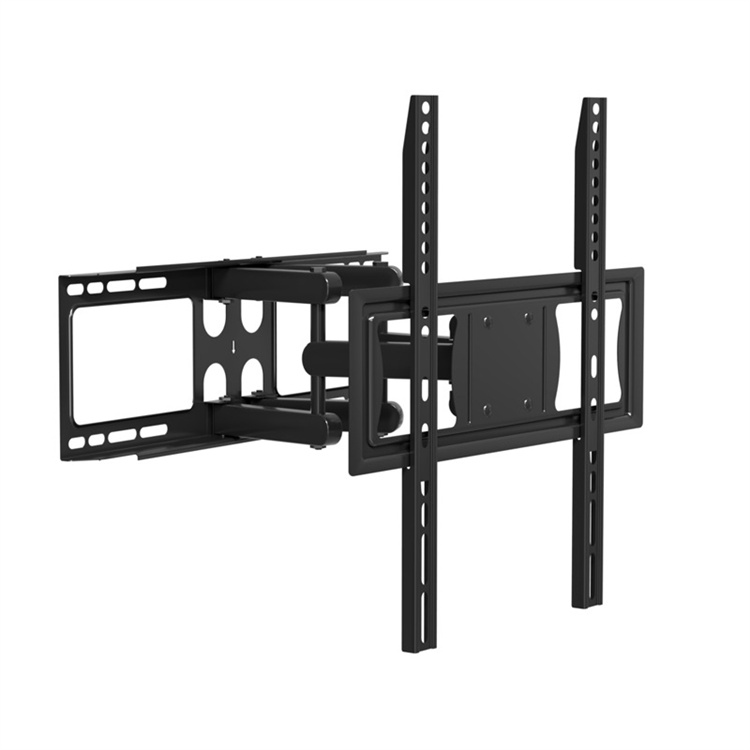
- Check clearance for articulation. A full-motion TV bracket needs room to swing. If the wall is in a corner or near furniture, measure the swing radius before you commit.
- Get help for heavy TVs. Lifting a 65-inch television onto a bracket alone is how brackets get knocked out of alignment. Two people make it safe.
H2: Step 5 — Do the Final Weight and Stability Check
After the bracket is up but before you call it finished, give the installation one honest review. Gently pull on the bracket and listen for creaking or movement at the anchor points. Test the tilt and swivel through the full range to confirm nothing scrapes or strains. Then hang the TV, let it settle for a moment, and pull on the edges of the screen gently. If the mount holds firm through that, your TV bracket is doing its job. If anything moves, take it down and re-check the anchors rather than living with a loose mount.
FAQ
Q1: Can a TV bracket be mounted directly on drywall without a stud?
You can, but only with the right hollow-wall anchors and for lighter televisions. For any TV over about 20 kg, or any full-motion bracket, at least some bolts should reach a stud. Never rely on the drywall board itself.
Q2: How much weight can drywall anchors for a TV bracket hold?
Good-quality metal toggle anchors typically hold 10–20 kg each in standard 12.7 mm drywall, but the real limit depends on the wall thickness and the anchor type. Spread the load across several anchors and never push one anchor to its maximum.
Q3: What happens if my TV bracket bolts do not line up with the studs?
Do not force the bracket into a weaker position. Adjust the bracket position where possible, or fill the remaining holes with quality hollow-wall anchors. Ideally, at least half the bolts sit in studs, with anchors handling the rest.
Q4: Should I hire a professional to install a TV bracket on drywall?
For a small, flat mount on a clear stud, a careful DIY job is fine. For a heavy TV, an articulated arm, or tricky hollow walls, a professional installer is worth the cost — they bring stud finders, proper anchors, and experience with exactly these problems.
Q5: How can I be sure my TV bracket is safe after installation?
Do the pull test. Gently pull on the bracket, check for any movement at the bolts, then hang the TV and lightly press on the screen edges. Any creak or shift means you should re-check the anchors before trusting the mount.